
Quick answer: To pass the UserTesting practice test, speak continuously while you complete each task, explain your reasoning before every click, and give specific (not vague) feedback. UserTesting isn’t grading whether you like the website — it’s grading how clearly you communicate. Once you pass, you’ll unlock screeners, paid unmoderated tests (around $5–$10 each), and Live Conversations ($30–$120+), all paid out through PayPal 14 days after each session.
If you’ve spent any time looking into side hustles or remote online gigs, you’ve likely stumbled across UserTesting. Payouts for simply reviewing websites, testing mobile apps, and sharing your honest thoughts out loud sound like an ideal way to turn spare minutes into extra income — but almost everyone gets stuck on the same first step: passing the UserTesting practice test.
I signed up back in 2019, when a standard unmoderated test could pay $10. Today, most standard unmoderated tests pay around $5 — roughly ₱315 at an exchange rate of about ₱63 to $1. It’s not a huge amount, but earning in dollars from a task that takes about 20 minutes makes it worth exploring, especially if you want to earn online without selling products or chasing your own clients.
Getting started isn’t always seamless. Many people sign up only to fail the initial practice test, get constantly disqualified by qualification screeners, or struggle to get 5-star ratings from clients. Passing the UserTesting practice test isn’t about luck — it’s about knowing exactly what the platform evaluates and mastering the “think aloud” protocol before you hit record.
This guide walks through everything: how to become a UserTesting tester, how to pass the practice test on your first try, how to qualify for more screeners, and what to expect once you’re approved and taking paid tests regularly.
- Is UserTesting Legit?
- What Is UserTesting and How Does It Work?
- UserTesting Requirements: What You Need to Get Started
- How to Pass the UserTesting Practice Test (Step by Step)
- The #1 Reason Beginners Fail the Practice Test
- 3 Things to Check Before You Record Your Test
- Tips to Pass UserTesting Screeners and Get More Invitations
- Delivering 5-Star Feedback: The "Think Aloud" Technique
- What Happens After You're Approved
- Advanced Test Formats: Live Conversations & Mobile Testing
- UserTesting Payout: Rates, Timelines & Realistic Earnings
- Set Realistic Expectations
- Frequently Asked Questions (FAQs)
Is UserTesting Legit?
Yes — UserTesting is a legitimate user-research platform, not a scam. Real companies pay UserTesting to recruit real people (called contributors) to test their websites and apps, and contributors get paid through PayPal for each completed session. There’s no cost to sign up, no product to buy, and no upfront investment required.
That said, “legit” doesn’t mean “guaranteed income.” You have to pass an unpaid practice test before you can access paid opportunities; test availability depends on your profile and demographics, and payouts vary by test type — from about $5 for a short unmoderated test up to $120+ for an hour-long Live Conversation. Treat it as a legitimate side hustle you fit around other income, not a replacement for one.
What Is UserTesting and How Does It Work?
Companies use UserTesting to get feedback from real people about their websites, apps, and digital experiences. As a contributor, you may be asked to complete specific tasks while:
- Sharing your screen
- Recording your voice
- Explaining what you’re thinking as you go
- Giving feedback about your overall experience
Some tests are unmoderated, meaning you complete tasks on your own without a live researcher watching. Others are live conversations or interviews, where you speak with a researcher in real time.
You don’t have to be a naturally talkative person to do this well. I’m more of a listener than a talker myself, and that’s actually one reason I found UserTesting interesting — it gave me a reason to practice putting my thoughts into words. You need that skill anyway: talking to clients, explaining an idea, answering questions, standing up for yourself. UserTesting gives you a low-stakes way to practice, and pays you for it.
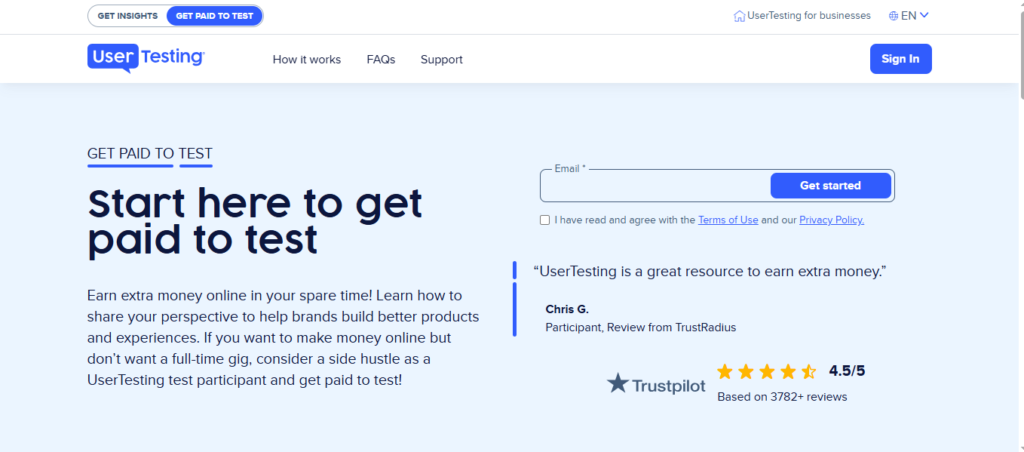
UserTesting Requirements: What You Need to Get Started
Before you can become a UserTesting tester, make sure you meet these requirements:
- Being at least 18 years old
- Being fluent in English, French, or German
- Having a verified PayPal account in your own name
- Completing your profile and applicant checklist
- Having a supported device (Mac or PC for your initial application and practice test — mobile devices aren’t accepted at this stage)
- Having reliable, high-speed internet
- Having a working microphone
- Completing the unpaid practice test
You’ll also need to be comfortable sharing your screen and talking through your experience out loud while completing a test.
Recommended (not required) hardware:
- A clear microphone — built-in laptop mics often pick up background hums or key-clacking, so a simple wired headset or USB microphone will make your voice sound noticeably more professional.
- A quiet environment — turn off fans, close windows, mute notifications, and keep pets or household noise from bleeding into your recording.
- Chrome browser — complete the initial practice test on a desktop or laptop using Google Chrome.
How to Pass the UserTesting Practice Test (Step by Step)
Before you can take paid tests, cross the first major hurdle: the application and practice (sample) test. UserTesting uses this to filter out unclear audio, quiet speakers, and reviewers who struggle to express their thoughts. Failing it means delays or needing to re-apply, so it’s worth getting it right the first time.
Step by step:
- Sign up with your primary email — use one you check daily, since test invitations are time-sensitive.
- Download the UserTesting Recorder and grant all screen-recording and microphone permissions.
- Run the audio check — speak at your normal volume and confirm your levels are picking up cleanly, without clipping.
- Complete the required tasks — the sample test typically asks you to perform 2–3 simple tasks, like finding specific information on a website or navigating an online store.
Don’t treat the practice test like an exam where you need to guess the “right” answers. UserTesting isn’t evaluating whether you like or dislike the website — it’s evaluating how effectively you communicate. It’s your chance to show that you can follow instructions, explain your thinking clearly, and give useful feedback.
4 rules that will get you a passing grade:
- Speak continuously (“think aloud”). Silence is your biggest enemy. Narrate what you’re doing: “I’m looking at the top navigation bar now… I see ‘Pricing,’ ‘About,’ and ‘Contact.’ I’m clicking on ‘Pricing’ to find the plan details.”
- Announce your intent before you click. Don’t click around randomly — state what you’re trying to do first: “I need to find the shipping policy, so I’m scrolling down to check the footer.”
- Be specific, not vague. Instead of “this layout is confusing,” say: “The font size on this headline is very small, which makes it hard to distinguish from the body text, and the search bar is hidden in the bottom-left corner where I wouldn’t expect it.”
- Complete every task fully. Read the prompt carefully. If it asks you to find a price and state whether it fits your budget, answer both parts before clicking “Next Task.”
If you don’t pass on your first attempt, that doesn’t mean you’re not cut out for website testing. Take the feedback, improve, and try again if UserTesting gives you the chance.
The #1 Reason Beginners Fail the Practice Test
Most beginners don’t fail because of technical skill — they fail because they don’t say enough.
You might think, “I know what I’m doing — why do I need to say all of this?” Because UserTesting can’t hear what’s happening inside your head. If you silently look at a button and decide where to click, whoever reviews your recording has no idea why you made that decision.
Instead of simply saying “I’ll click here,” try: “I’m clicking here because I expect this to take me to the product information.” That gives context. It shows how you think as a user, not just what you clicked.
A simple way to practice before your test:
Open a website you use regularly and pretend someone gave you a task — for example, “find a pair of shoes under ₱2,000.” As you browse, narrate out loud:
- “I’m looking for the search bar because that seems like the fastest way to find what I need.”
- “I expected to see the price here, but I have to open the product first.”
- “This filter is useful because I have a specific budget.”
- “I’m not sure what this button does, so I’d probably hesitate before clicking it.”
Notice you’re not trying to sound impressive — you’re just thinking out loud.
3 practical tips:
- Don’t memorize a script. A script makes your feedback sound less genuine. Explain your thoughts as they happen.
- Don’t worry about sounding perfect. You don’t need a radio voice. Speak clearly, explain your reasoning, and keep going, even if you stumble.
- Always explain why. “I don’t like this page” is a weak statement. “I don’t like this page because there are too many options and I’m not sure which one to choose first” gives far more useful information.
3 Things to Check Before You Record Your Test
You could know exactly what to say and still run into a problem — because your audio, environment, or device gets in the way. Check these three things before you click record.
1. Check your microphone and audio
- Test your microphone and make sure you’re not muted.
- Speak at a normal volume and listen for excessive background noise.
- Record a short sample and actually listen back — don’t assume it sounds fine just because you can hear yourself.
- If you’re using headphones, check if they’re working properly.
2. Check your environment
You don’t need a home office to become a website tester — you need a place where you can concentrate. Look for somewhere relatively quiet, free from interruptions, and comfortable enough to speak out loud in. If you live in a busy household, give people a heads-up that you’re recording and silence unnecessary notifications.
3. Check your device and read the instructions
Confirm your device and internet connection are ready before you start — don’t discover a problem halfway through. Then read the task instructions carefully: what you’re being asked to accomplish, what you need to say or do, any specific questions to answer, and where you’re supposed to go or what you’re supposed to find.
Your 30-second pre-test checklist:
- [ ] Can I hear my microphone clearly?
- [ ] Is my environment quiet enough?
- [ ] Is my device and internet connection ready?
- [ ] Have I read and understood the instructions?
- [ ] Am I ready to explain my thoughts as I go?
If you can check all five, you’re in a good position to start.
Tips to Pass UserTesting Screeners and Get More Invitations
Once your practice test is approved, you’ll unlock the main dashboard — but you won’t jump straight into paid tests. First, you’ll answer screeners: short questions researchers use to confirm you fit their exact target audience (for example: B2B software buyers, frequent travelers, or mobile gamers).
A screener might ask, “Do you currently use project management software at work?” Select “No,” and it typically ends there. Select “Yes,” and you may unlock follow-up questions about which tools you use and your role in choosing them.
What affects how many screeners (and test invitations) you get:
- Demographic completeness — a fully filled-out profile gives the system more data points to match you with available studies.
- Rating history — testers with consistently high star ratings (4.5–5 stars) get priority in test distribution.
- Response speed — many high-paying tests cap the number of participants, so being active when screeners drop helps.
Golden rules for screeners:
- Be honest, always. It’s tempting to guess the “right” answer to unlock a paid test — don’t. If you claim to own an enterprise cloud tool you’ve never used, you’ll get stuck the moment the test asks you to log in or navigate it. Inaccurate answers lead to low ratings, fewer invitations, or a permanent ban.
- Keep your profile up to date. Revisit your settings periodically to reflect changes in your job title, seniority, household income, subscriptions, or hardware.
- Keep your dashboard tab open. Invitations drop in real time, so having a tab open with notifications enabled gives you a better shot at screeners before participant caps fill up.
- Don’t get discouraged by screen-outs. It’s completely normal to get screened out of 5–10 tests before landing one that fits your profile. Not qualifying doesn’t mean you did anything wrong — the researcher is simply looking for a different type of participant. Treat it as a numbers game.
Delivering 5-Star Feedback: The “Think Aloud” Technique
Passing screeners gets you into paid tests — your star rating decides whether you keep getting invited back. After each test, the client rates your feedback from 1 to 5 stars. Higher ratings place you in priority tester pools with more frequent invitations and access to higher-paying tests.
A 5-star recording has three components:
- Continuous verbalization — you speak throughout the session without long silences.
- Actionable insights — you explain why something is confusing or helpful, not just that it is.
- Task focus — you fully answer every on-screen prompt before moving on.
A simple formula to keep your commentary flowing:
- State your impression immediately. When a page loads: “My eyes are immediately drawn to the large hero image in the center, but the headline text is a bit faint against the background…”
- Announce your intent before you click. “I’m looking for the pricing details. I see a link called ‘Solutions’ in the top menu, so I’m hovering over that to see if pricing options drop down.”
- Explain the friction point. “I expected clicking ‘Add to Cart’ to show a quick sidebar summary, but instead it redirected me to a whole new page. That breaks my shopping flow.
Unhelpful feedback vs. 5-star feedback:
| Unhelpful (1–3 stars) | 5-Star Constructive Feedback |
|---|---|
| “I don’t like this color scheme.” | “The light gray text on a white background lacks contrast, making the terms and conditions difficult to read.” |
| “This button is bad.” | “The ‘Checkout’ button is placed below the fold, so I had to scroll to find it. Making it sticky at the top would speed up purchase time.” |
| “Everything looks great to me!” | “The navigation structure is intuitive, but I’m confused why the search bar doesn’t support auto-complete suggestions.” |
If speaking out loud makes you nervous, remember: you don’t need to become a different person. Listen carefully, think about what’s being asked, and explain your answer honestly and clearly. If you’re naturally more of a listener, that’s not a disadvantage — it can help you understand a question clearly before you respond.
What Happens After You’re Approved
Passing the practice test is the beginning, not the finish line. Once you’re approved, you’ll start seeing opportunities based on your profile, demographics, devices, and specific requirements — sometimes plenty, other times very few. That’s normal, and there’s no guarantee of a set number of tests or a particular monthly income.
One habit worth building immediately: check the payment before you accept. Don’t assume every test pays the same. A standard unmoderated test might pay around $5, while a longer test or one involving a live conversation may pay differently and require more effort. Weigh the opportunity as a whole — the time and effort required — not just the dollar amount.
If you get a test, treat it as a chance to give thoughtful, useful feedback: follow the instructions, think aloud, and explain what’s confusing, helpful, frustrating, or easy to use. Don’t rush through it. Your feedback helps someone improve their product — that’s what makes your perspective valuable.
Advanced Test Formats: Live Conversations & Mobile Testing
Once you’ve built a rating history with standard desktop tests, you’ll start unlocking higher-paying, specialized formats.
Live Conversations (1-on-1 Moderated Tests)
Unlike standard tests where you record alone, Live Conversations are scheduled video calls with a real researcher, product manager, or designer.
- Payout: Typically $30 for a 30-minute session, up to $60–$120+ for 60 minutes.
- Best practices: Treat it like a formal meeting — log in 3–5 minutes early, make sure your lighting and background are presentable, and engage in genuine two-way dialogue rather than one-word answers.
Mobile App & Browser Tests
These require you to share your iOS or Android screen while speaking into your phone’s microphone — ideal for testing early-stage apps or mobile-responsive sites.
- Payout: Generally $5–$10 per unmoderated test, varying by length and location.
- Key tips: Enable Do Not Disturb so calls or text previews don’t interrupt your recording or expose personal information, narrate your finger placement out loud (“I’m tapping the menu icon,” “I’m swiping left”), and confirm screen-recording and microphone permissions are enabled for the app.
Live opportunities can be especially rewarding if you’re comfortable talking with a researcher, but make sure you understand what a test involves — including whether it requires a live conversation — before accepting it.
UserTesting Payout: Rates, Timelines & Realistic Earnings
How the UserTesting payout process works:
- UserTesting pays exclusively through PayPal — there are no direct bank transfers or gift card options, so you need an active PayPal account linked to your profile.
- Regional pay rates: Standard unmoderated tests in tier-1 countries (US, UK, Canada) typically pay $10. Shorter or regional tests — including in the Philippines — pay around $5. Live 1-on-1 conversations pay $30–$120+ globally, regardless of region.
- The 14-day clearing period: Payments process automatically 14 days after you complete a test, down to the exact hour. Finish a test Tuesday at 2:00 PM, and the payout hits your PayPal two weeks later at the same time.
- No cash-out minimum: There’s no $50 threshold to withdraw. Every completed test triggers its own PayPal payout automatically 14 days later.
Set Realistic Expectations
Can you make a living off UserTesting? No — it’s a side hustle, not a full-time job. Your earning potential depends on your demographics (age, income, job title) and current client demand.
Expect a feast-or-famine cycle: some weeks you might qualify for three unmoderated tests and a $60 Live Conversation for a quick $75+; other weeks you might attempt 20 screeners and qualify for zero. Treat it as “beer money” — supplemental income that’s great for covering a utility bill or padding your savings, not something to build a budget around.
That’s actually why I like having several skills and income streams rather than depending on one platform. If UserTesting interests you, don’t stop there — there are other website- and app-testing platforms worth exploring too.
Frequently Asked Questions (FAQs)
Speak continuously throughout the recording, announce what you’ll do before every click, and give specific feedback. UserTesting is grading your communication, not your opinion of the website — so silence is the fastest way to fail.
Standard unmoderated tests generally pay around $5–$10, depending on your region and the test’s requirements. Live Conversations (1-on-1 moderated sessions) pay significantly more — typically $30 for 30 minutes and $60–$120+ for an hour.
No. You don’t need prior experience or a naturally talkative personality. What matters is your ability to follow instructions, speak your thoughts out loud clearly, and give honest, specific feedback — all of which you can practice before your first test.
The most common reason beginners fail is not talking enough during the recording. UserTesting needs to hear your reasoning as you complete each task — not just see what you clicked. Narrate your thoughts continuously, explain your intent before each action, and be specific.
Payments clear automatically through PayPal exactly 14 days after you complete a test, down to the hour. There’s no minimum balance required to withdraw.
Initial application and practice test must be completed on a desktop or laptop using Google Chrome. Once approved, some paid opportunities are specifically mobile app or browser tests that you complete on your iOS or Android device.
No — treat it as supplemental income rather than a guaranteed paycheck. Test availability depends heavily on your demographics and current client demand; some weeks will have several opportunities, and others will have none.
Want More Side Hustle Strategies?
If you found this guide useful, subscribe to my free newsletter for more platform reviews, step-by-step earning guides, and honest breakdowns of legit ways to earn online — delivered straight to your inbox every week.